Free open source FiveM tuner tablet.
A free vehicle tuning tablet for live in-game tuning on QBCore, Qbox, ESX, and standalone FiveM servers.
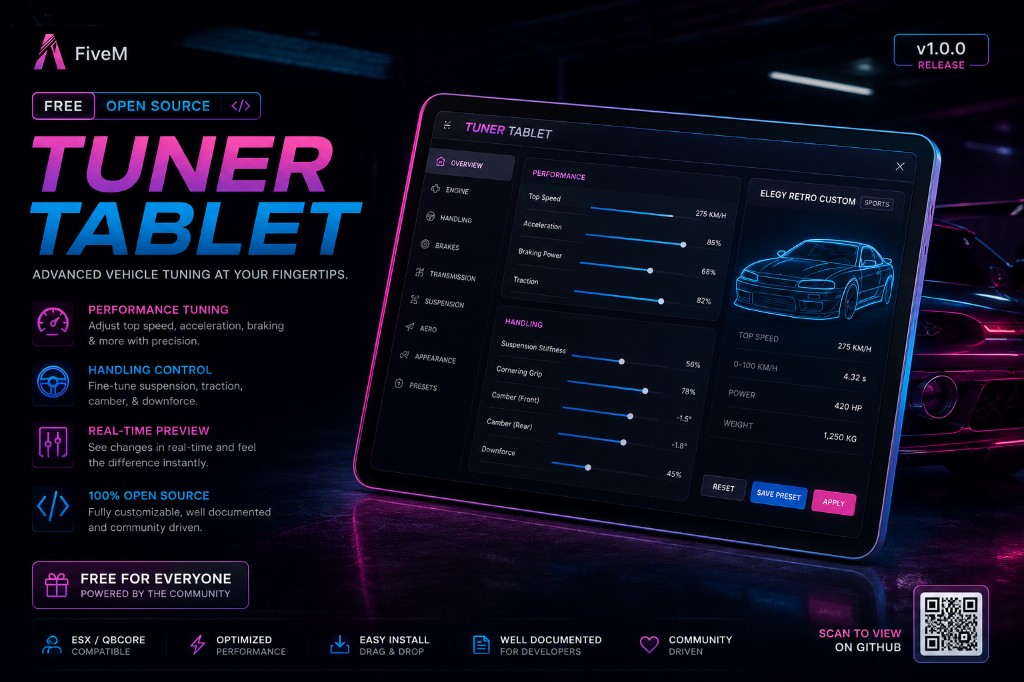
About this tuner tablet script
This is a free open source FiveM vehicle tuning tablet from The FiveM Shop. It gives players and mechanics a clean in-game tablet interface for modifying vehicles live, including performance parts, body mods, handling, lighting, stance, nitrous, and saved tuning setups.
Players can open the tablet while inside a vehicle, tune in real time, save the setup to the vehicle plate, and have the tune apply again when they get back into that vehicle. This makes it useful for mechanic jobs, racing servers, tuner shops, car meets, drift servers, and vehicle-focused roleplay communities.
Every script and server from The FiveM Shop is fully open source with no hidden code. This resource is configurable through the config file and is designed to work with QBCore, Qbox, ESX, or standalone FiveM servers.
Features
- Performance upgrades for engine, brakes, transmission, suspension, armor, and turbo.
- Body modification support for spoilers, bumpers, exhaust, hood, roof, and other vehicle parts.
- Handling editor with live sliders plus Stock, Street, and Race presets.
- Lighting controls for neon RGB, xenon colours, and rainbow lighting modes.
- Nitrous system with in-game boost and optional VStancer support.
- Save and load tunes per vehicle plate with server-side persistence.
- Fully configurable open source files with no hidden code.
- Works with QBCore, Qbox, ESX, or standalone FiveM servers.
Compatibility
This tuner tablet is designed for QBCore, Qbox, ESX, and standalone servers. Test it on a staging server before using it live, especially if your server already has mechanic jobs, custom vehicle handling, nitrous systems, garage scripts, vehicle keys, or other tuning resources installed.
Install notes
- Download the archive and review the config file before uploading it.
- Place the resource folder inside your FiveM server resources directory.
- Add the correct ensure line to your server.cfg file.
- Configure framework mode, permissions, tuning values, nitrous settings, and plate saving for your server.
- Restart on a test server first and check tuning, saving, vehicle handling, and console output before release.