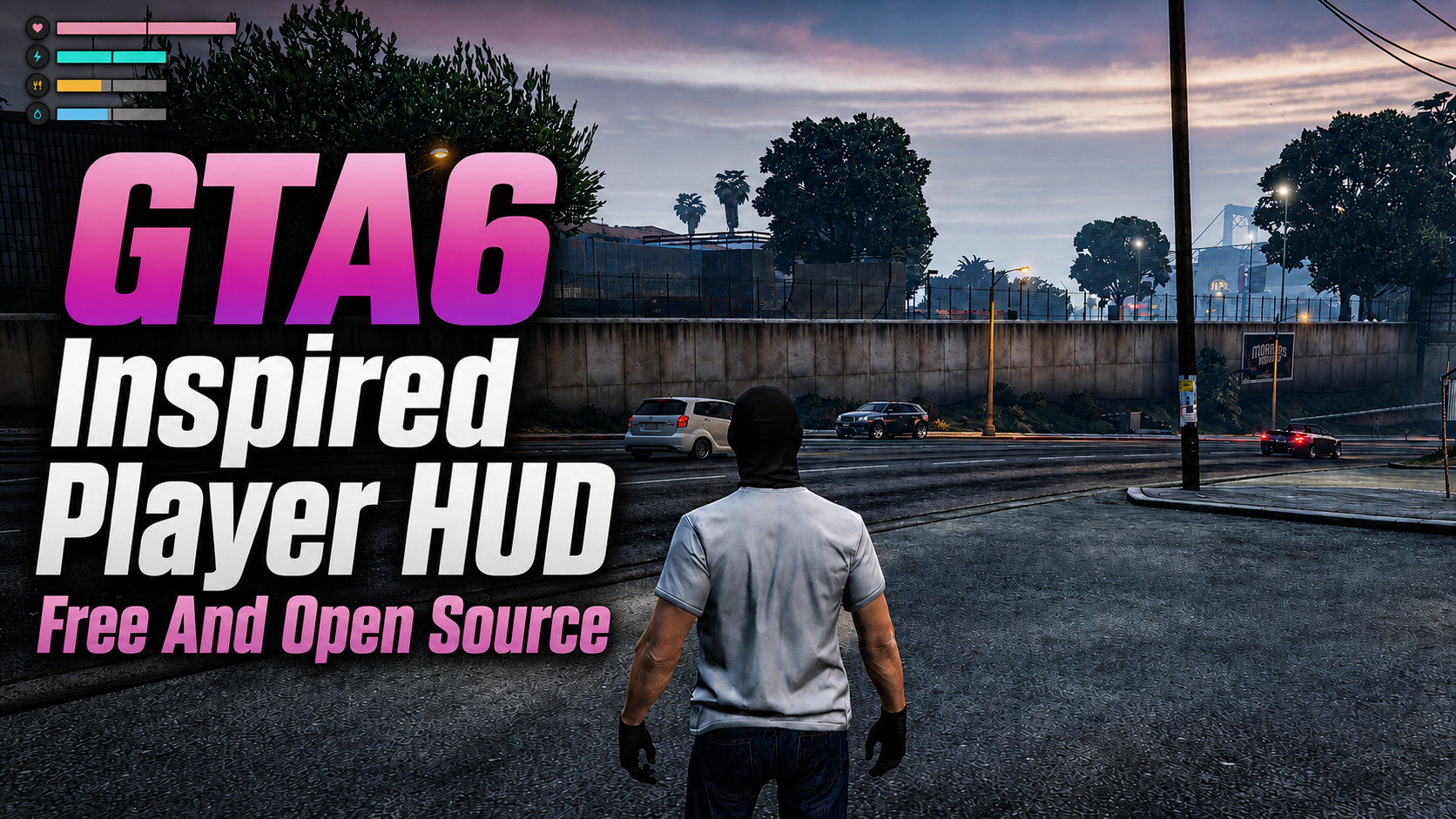
Free GTA 6 inspired FiveM player HUD.
fivemshop-hud is a free open source GTA 6 style player HUD from The FiveM Shop. It shows clean health, stamina, hunger, and thirst bars in the top-left, with an in-game HUD SETTINGS menu for QBCore, Qbox, ESX, and standalone servers.
About this GTA 6 inspired FiveM player HUD
fivemshop-hud is a free open source FiveM player HUD made by The FiveM Shop. It replaces cluttered default bars with a minimal GTA 6 inspired layout: four thin status rows with icons for health, stamina, food, and water.
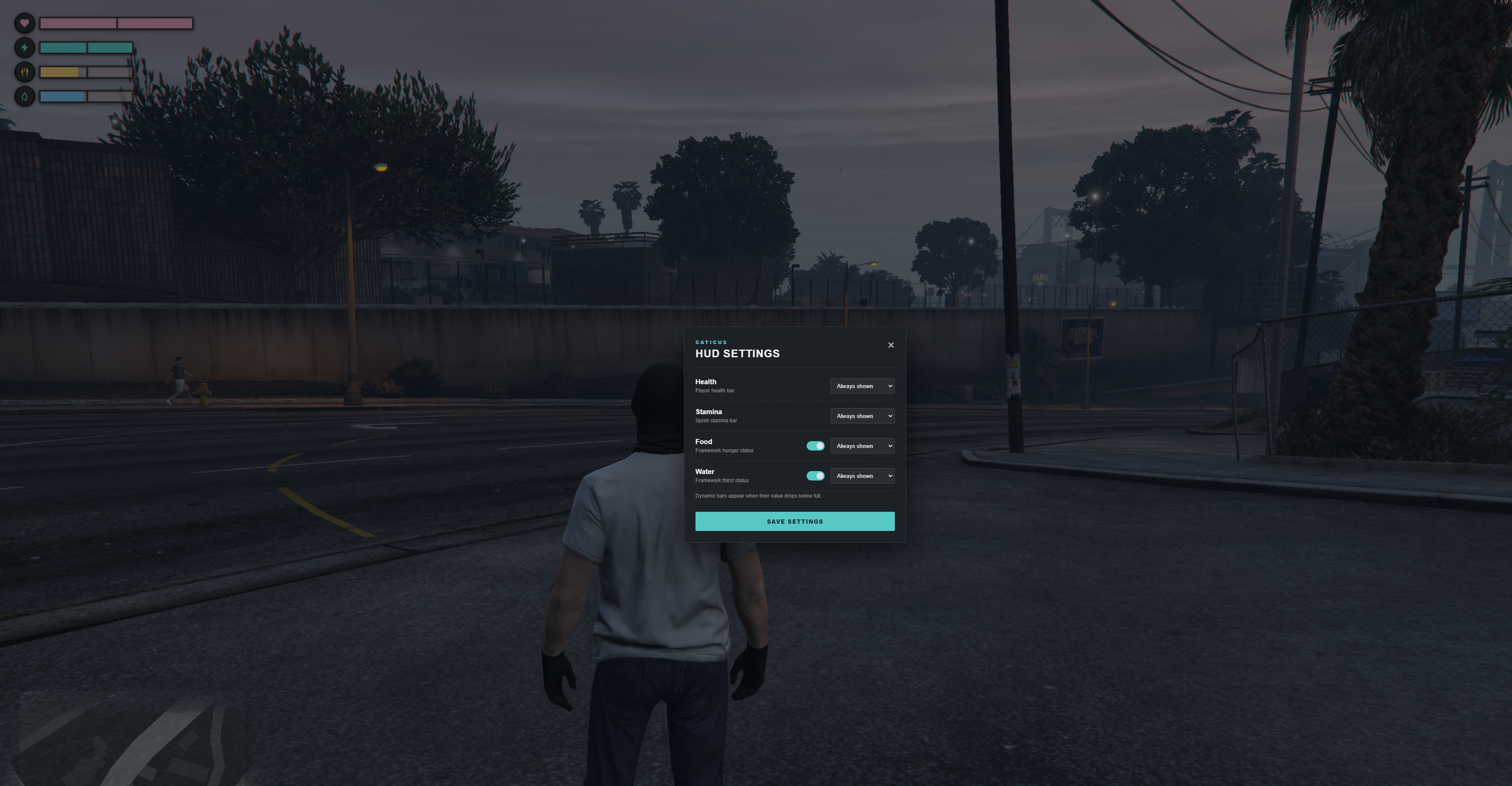
Health and stamina stay on by default. Hunger and thirst are optional. Players open HUD SETTINGS with F7 or /hud, turn food and water on, and choose Always shown or Dynamic for each bar. Dynamic bars hide when that status is full and come back when it drops. Settings save per player with no database.
Every script from The FiveM Shop is fully open source. There is no escrow, no hidden code, and no account required. Download the archive, drop it into your resources folder, and give your QBCore, Qbox, ESX, or standalone server a modern GTA 6 style player HUD.
Features
- GTA 6 inspired FiveM player HUD in the top-left of the screen.
- Health bar with a heart icon and low-health warning color.
- Custom stamina bar with sprint drain, regen delay, and exhausted state.
- Optional hunger and thirst bars with fork and water icons.
- In-game HUD SETTINGS menu with F7 or /hud.
- Always shown or Dynamic visibility for every status.
- Qbox, QBCore, ESX Status, and standalone support.
- Saved player preferences with KVP, no database setup.
- Hides in the pause menu. Configurable position, scale, and colors.
- Free open source files from The FiveM Shop with no hidden code.
Who this FiveM HUD is for
Searchers looking for a free FiveM player HUD, a GTA 6 HUD for FiveM, or an open source QBCore and ESX health bar can use this resource instead of older status UIs. It is built for roleplay servers that need hunger and thirst without covering the whole screen.
Pair it with the GTA 6 inspired FiveM car HUD for vehicle name, street, engine, and fuel above the minimap, and the GTA 6 inspired FiveM fuel station for world-space SERVICES at gas pumps.
Compatibility
This FiveM HUD works on Qbox, QBCore, ESX, and standalone. Hunger and thirst read metadata.hunger and metadata.thirst on Qbox and QBCore. On ESX they use esx_status when that resource is started. Standalone servers can still use health and stamina without a needs system.
Stop or hide any other player HUD, status pack, or hunger UI that occupies the same top-left space so the two layouts do not overlap. Test on a staging server first.
How to use
- Join the server. Health and stamina bars appear in the top-left.
- Press F7 or type
/hudto open HUD SETTINGS. - Set Health and Stamina to Always shown or Dynamic.
- Turn on Food and Water if your framework tracks hunger and thirst.
- Click SAVE SETTINGS. Your layout stays after reconnect.
- Sprint to drain stamina. When it hits zero, sprinting stops until it regenerates to 20%.
Install tutorial
- Download fivemshop-hud.rar from this page. No login is required.
- Extract the archive on your PC or host.
- Copy the fivemshop-hud folder into your FiveM
resourcesdirectory. Keep the folder name exactlyfivemshop-hud. - Open
server.cfgand addensure fivemshop-hudafter your framework resource. - Restart the server, or run
ensure fivemshop-hudin the server console. - Join, confirm the bars, then press F7 and save a layout.
- If another HUD is still visible, disable that resource and restart again.
config.lua options
- Position and Scale — place and size the HUD in the top-left.
- HideInPauseMenu — hide bars while the pause menu is open.
- HideWhenDead — hide the HUD when the player is dead.
- StaminaDrainPerSecond — default 6.0, about 16.7 seconds of sprint from full.
- StaminaRegenPerSecond and StaminaRegenDelay — regen speed and the 1.8 second wait after sprinting.
- StaminaResumeThreshold — sprint unlocks again at 20% by default.
- DisableSprintWhenEmpty — block sprint while exhausted.
- SettingsCommand and SettingsKey — default
hudand F7. - DefaultSettings — default health/stamina mode and whether food and water start enabled.
- Colors — health, stamina, food, water, and low-status colors.
Developer exports
exports['fivemshop-hud']:GetStamina()— current stamina 0 to 100.exports['fivemshop-hud']:SetStamina(75)— set stamina from another resource.exports['fivemshop-hud']:GetFramework()— returns qbox, qbcore, esx, or standalone.
Download and watch
This GTA 6 inspired FiveM player HUD is free. Use the download button for the open source archive, or watch the preview on YouTube before installing it on your server.