GTA 6 Graphics Pack For FiveM.
Buy gta6-visuals for $19.99. This fully open source, drag-and-drop FiveM graphics pack instantly upgrades the city for every player with no ReShade, extra player downloads, or client setup.
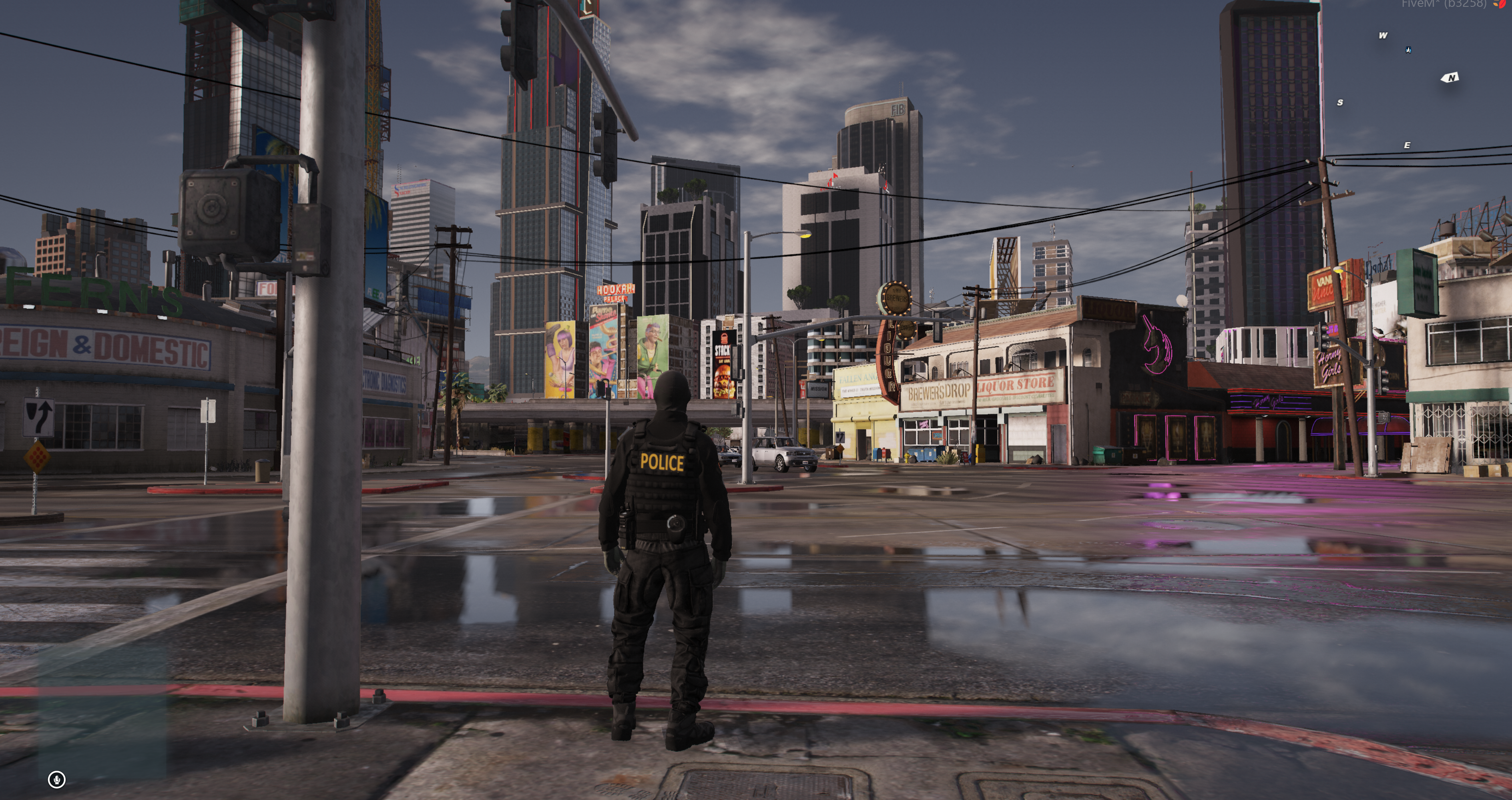
Cleaner water, modern lighting, improved reflections, realistic skies, warmer sunsets, deeper nights, and editable colour grading in one open source server resource.
About the GTA 6 graphics pack for FiveM
gta6-visuals overhauls the appearance of your FiveM city from the ground up. The pack is designed around the cleaner, warmer GTA 6 colour tone shown in official game previews while keeping the resource simple for server owners and players.
Unlike a personal graphics preset, this FiveM visual pack runs as a server resource. Drop it into the server, start it, and every player sees the updated visuals when they load in. Players do not need ReShade or a separate graphics download.
FiveM graphics pack features
- Fully open source resource with no hidden code.
- Editable colour grading for custom server branding and visual style.
- Cleaner, more natural water textures.
- Improved lighting across daytime, weather transitions, and nights.
- Sharper and more natural environmental reflections.
- Improved shadows for a more modern and grounded city.
- Realistic skies throughout the day.
- Subtle pink-orange warmth across buildings and the horizon at sunset.
- Improved night-time street lights and city atmosphere.
- No ReShade, external client installer, or per-player setup.
Improved water, lighting, and reflections
The pack updates the visual balance of water, light, shadow, and reflective surfaces so wet roads, water, and city streets feel more consistent. The goal is a sharper and warmer GTA 6-inspired look without asking every player to maintain a separate preset.
GTA 6 colour grading and sunsets
Daylight remains natural while sunsets introduce a controlled pink-orange warmth on the skyline, buildings, and horizon. Because the resource is open source, server developers can edit the colour grading and tune the visual direction for their own map, weather setup, and community.
No ReShade or client setup
Players simply connect to the server as normal. There is no ReShade installer, graphics preset, extra download page, or manual client configuration. Starting gta6-visuals on the FiveM server delivers the visual resource automatically.
How to install gta6-visuals
- Download and extract the gta6-visuals resource.
- Drag the complete folder into your FiveM server resources directory.
- Check the
np_4.0_scenariosreference in the suppliedgta5.metaand start or edit it as required. - Add
ensure gta6-visualstoserver.cfg. - Perform a full server restart so level metadata and streamed visual files reload cleanly.
- Join the server and test daylight, sunset, rain, water, reflections, street lights, and night weather.
Read the complete GTA 6 Graphics Pack installation guide for /skyedit, ACE permissions, scenario setup and visual-conflict troubleshooting.
Before installing another visual pack
Back up your current resources and test on a staging server first. Avoid running multiple resources that replace the same visual, weather, timecycle, water, or lighting files unless you have intentionally merged them, because conflicting replacements can override one another.