Reviewed against the current gta6-visuals resource · Updated 15 October 2026
What gta6-visuals changes
The GTA 6 Graphics Pack is a server-side FiveM visual resource. It changes water, skies, lighting, shadows, reflections, weather, street lights, timecycles and related textures to give the city a warmer GTA 6-inspired colour tone.
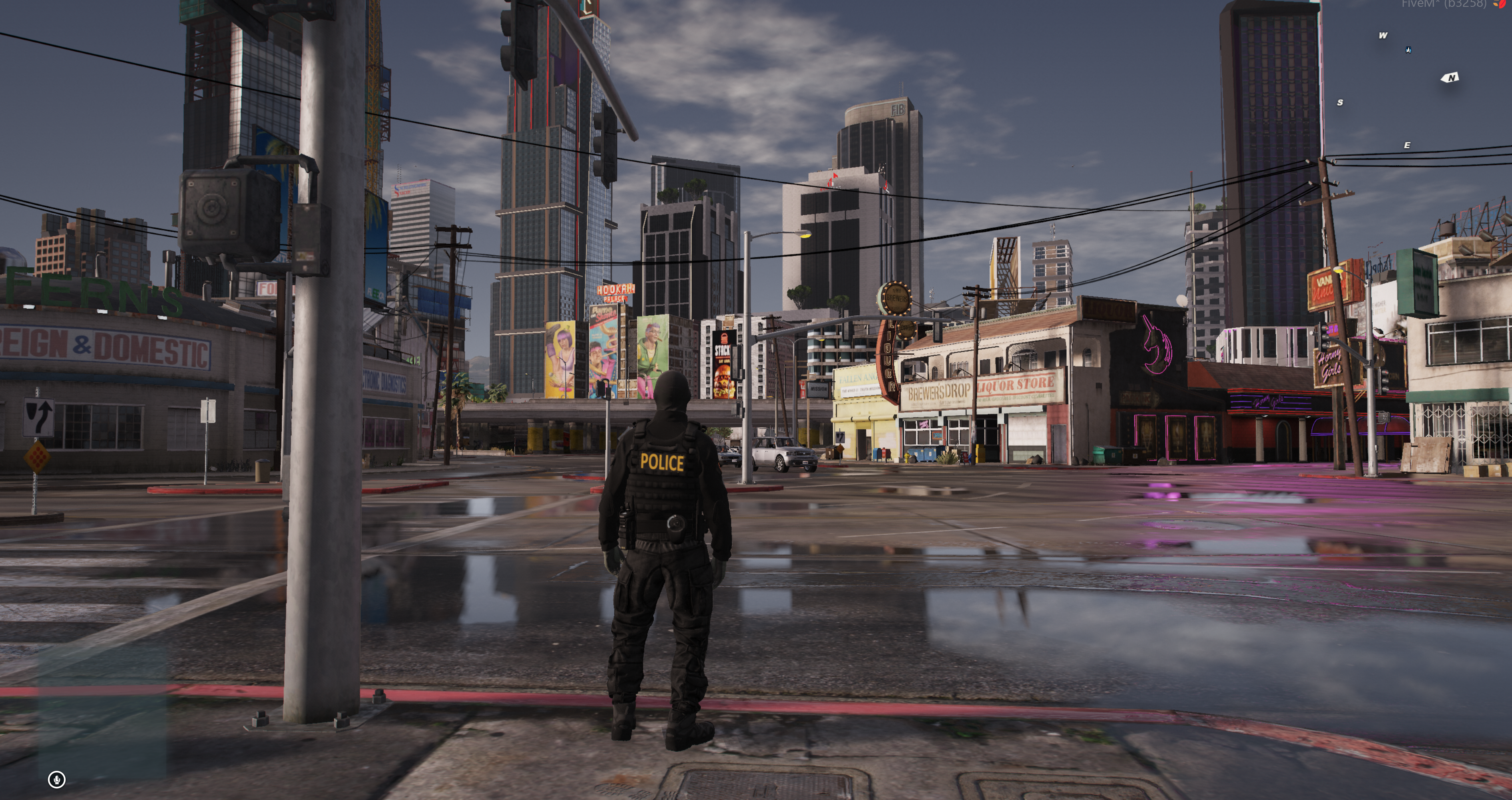
Players do not install ReShade, an external graphics mod or a client preset. FiveM streams the resource when they connect to your server.
Requirements and checks
- Use a current FiveM server artifact with asset pack support.
- Keep the resource folder named exactly
gta6-visuals. - Check whether your server includes the
np_4.0_scenariosresource referenced by the suppliedgta5.meta. - Stop other full visual packs or resources that use
replace_level_meta 'gta5'.
Only one resource should replace the GTA V level metadata. Running two can cause startup errors, missing map data or unpredictable visual overrides.
Install the GTA 6 Graphics Pack
- Stop the server and back up the current visual/weather resource settings.
- Extract the download into your server resources directory.
- Confirm the path is
resources/[your-folder]/gta6-visuals/fxmanifest.lua, not an extra nested package folder. - Keep the resource folder name as
gta6-visuals. - Open the included
gta5.metaand handle thenp_4.0_scenariosreference as explained below. - Add the resource to
server.cfgand perform a full server restart.
server.cfg
# Required only while the supplied gta5.meta references it
ensure np_4.0_scenarios

ensure gta6-visuals
If you do not own or use np_4.0_scenarios, remove or replace that reference in gta5.meta before launch. Do not leave server.cfg trying to start a resource that is not installed.
Use a full server restart for the first test. A simple resource restart may not reload all map, level metadata and streamed visual files cleanly.
Use the live sky editor
Authorised administrators can run /skyedit. The editor previews colour, weather and time changes live, saves the selected values to data/sky_preset.json and synchronises the preset to connected clients. Press Escape to close it.
The shipped sky-overlay preset starts disabled with zero strength. Enable and tune it only if you want an extra custom colour overlay on top of the base visual pack.
Grant ACE access
add_ace identifier.license:YOUR_LICENSE gta6-visuals.sky allowReplace YOUR_LICENSE with the administrator's real FiveM license identifier. The resource can also recognise administrators exposed by a supported framework.
Test the graphics after installation
- Join after a full restart and clear an outdated local FiveM cache only if files fail to stream.
- Check sunrise, midday, sunset and night-time street lights.
- Test clear, rain, fog and storm weather.
- Inspect ocean, pool and river water from different angles.
- Check reflections and vehicle lighting in both city and rural areas.
- Reconnect with a second player to confirm the visuals are streamed server-wide.
Avoid visual resource conflicts
Disable or merge any resource that changes the same files, especially:
- another resource with
replace_level_meta 'gta5'; - other timecycle, weather,
visualsettings.dator water-overhaul packs; - full vehicle metadata packs that replace overlapping vehicle files;
- weather scripts that constantly overwrite time, weather or colour modifiers.
Small map resources are usually fine, but visual packs that replace global GTA V files must be reviewed file by file.
Troubleshooting
- Resource will not start: verify the exact folder name, current server artifact and the
/assetpacksdependency. - Level metadata error: start the referenced scenario resource or edit the reference in
gta5.meta. - No visible difference: remove competing visual resources, fully restart and test multiple weather/time combinations.
- /skyedit is denied: add the ACE permission with the correct license identifier or verify framework admin access.
- Preset does not persist: confirm the server can write to
data/sky_preset.json. - Only some players see changes: restart the server and have the affected client reconnect; clear client cache only as a final streaming fix.
Remove or roll back the pack
- Remove or comment out
ensure gta6-visuals. - Stop or delete the resource from the active server resources.
- Restore any previous visual or weather resource you disabled.
- Perform a full server restart.
Get the open-source GTA 6 Graphics Pack
Upgrade every player's visuals from one server resource for $19.99—no ReShade or separate client download.