Reviewed against script version 2.47.9 · Updated 15 October 2026
What this FiveM inventory guide covers
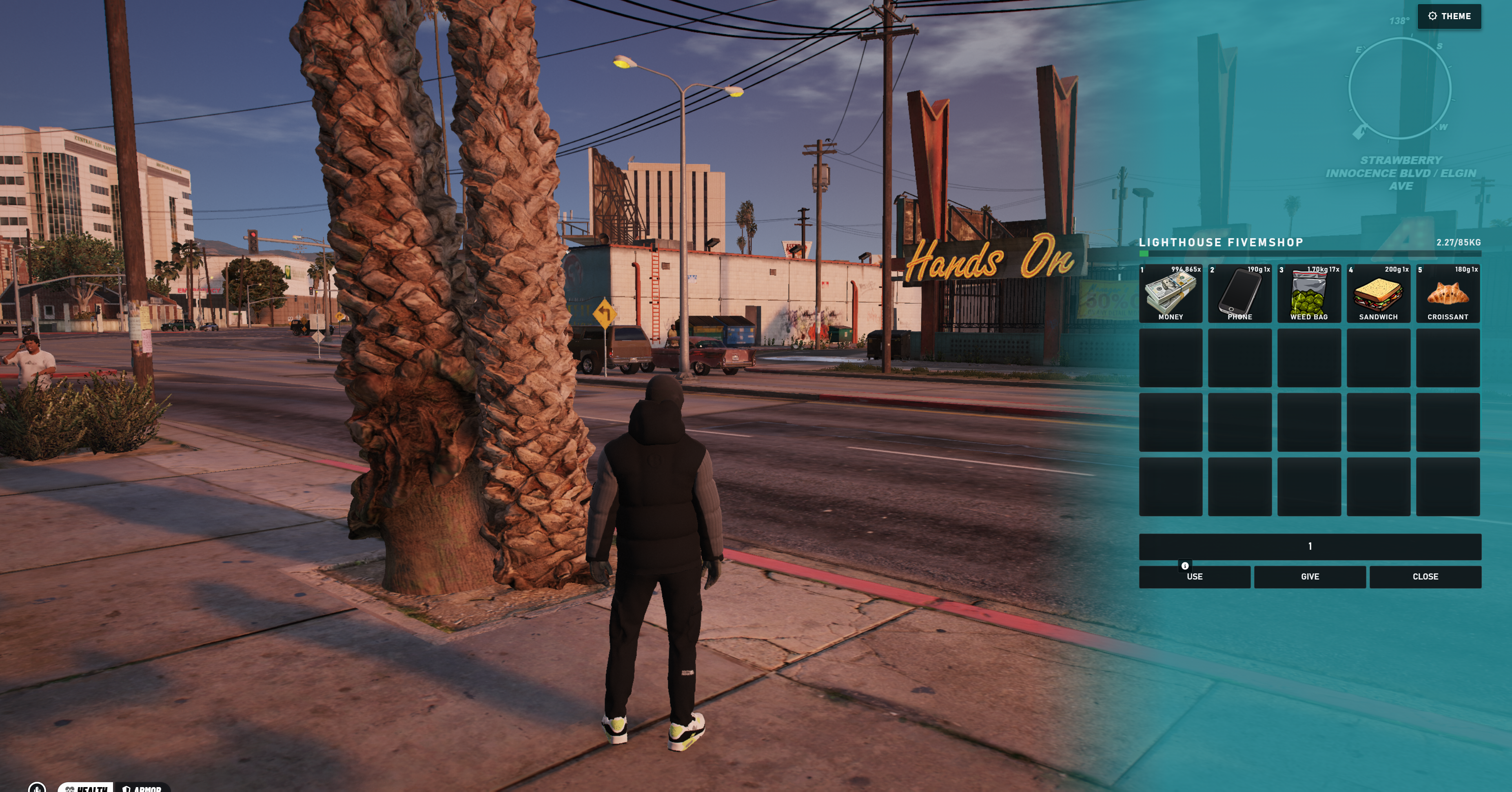
The No Pixel 5.0 Inventory Script is a customised, fully open-source fork of ox_inventory. It keeps the mature shops, storage, trunks and item systems while adding a complete visual redesign, selectable colours and inventory transparency controls.
Requirements before installation
- FiveM server artifact 6116 or newer with OneSync enabled.
oxmysqlversion 2.7.3 or newer.ox_libversion 3.36.4 or newer.- Qbox, ESX, ox_core or ND_Core. The included bridge does not target classic QB-Core directly.
- Optional:
ox_targetif you want target-based shop and storage interactions.
Do not run a second player inventory resource beside ox_inventory. Two inventory systems can register the same events, duplicate items or prevent stashes from opening.
Install the No Pixel 5.0 Inventory Script
- Stop the FiveM server and make a database backup.
- Extract the download. If it contains an outer package folder, copy only the inner working folder that contains
fxmanifest.lua. - Place that folder in your server resources and name it exactly
ox_inventory. - Install or update
oxmysqlandox_lib. - Add your framework and inventory settings before the
ensureserver.cfg. - Use the dependency order shown below, then perform a full server restart.
Qbox server.cfg example
setr inventory:framework qbx
setr inventory:slots 50
setr inventory:weight 30000
setr inventory:target true
setr inventory:police ["police","sheriff"]
setr inventory:accounts ["money"]

ensure oxmysql
ensure ox_lib
ensure qbx_core
ensure qbx_vehicles
ensure ox_target
ensure ox_inventory
Qbox requires qbx_core 1.18.1 or newer and qbx_vehicles 1.2.0 or newer. Remove ensure ox_target and set inventory:target false if you do not use ox_target.
ESX server.cfg example
setr inventory:framework esx
setr inventory:slots 50
setr inventory:weight 30000
setr inventory:target false
setr inventory:police ["police"]
setr inventory:accounts ["money","black_money"]

ensure oxmysql
ensure ox_lib
ensure es_extended
ensure ox_inventory
For ox_core use setr inventory:framework ox. For ND_Core use setr inventory:framework nd. Keep framework-specific resources above ox_inventory.
Database setup
No manual SQL file is normally needed. On startup, ox_inventory creates and updates the required inventory storage structures through oxmysql. This custom version also creates inventory_settings for each player's saved colour and transparency preferences.
Watch the server console on first start. Database connection or permission errors must be fixed before testing items or themes.
Player controls and admin commands
- F2: open the player inventory.
- K: open a nearby secondary inventory, stash or vehicle inventory.
- TAB: display the hotbar.
- 1–5: use the corresponding hotbar slot.
- R: reload the current weapon.
- E: interact with marker-based shops and storage.
- /steal: attempt to open an eligible nearby player's inventory.
Available server-admin commands include additem, giveitem, removeitem, setitem, clearinv, viewinv, saveinv, takeinv, restoreinv and returninv. Restrict them with your server permissions.
Change inventory colours and transparency
- Press F2 to open the inventory.
- Select the Theme control.
- Choose teal, green, blue, red, white, purple, orange, pink or yellow.
- Adjust transparency and save the selection.
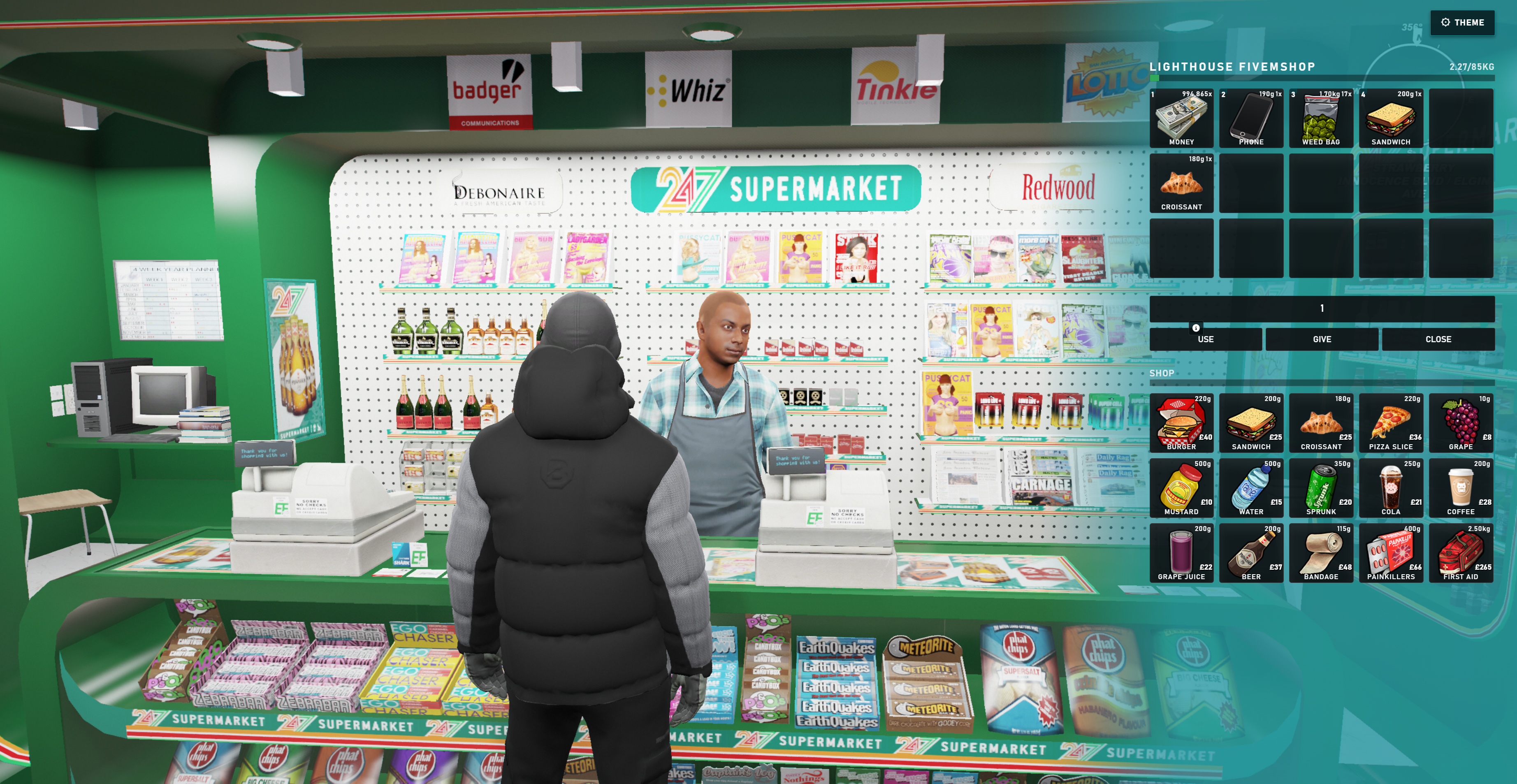
Theme persistence is stored by player identifier. Test the saved setting after reconnecting, particularly when using a custom framework bridge.
Add shops and storage
Configure purchasable items, groups and locations in data/shops.lua. Configure persistent storage locations, slot counts, weight and access restrictions in data/stashes.lua. Preserve the existing Lua table format and restart ox_inventory after server-side data changes.
Troubleshooting checklist
- Inventory does not open: confirm ox_lib started successfully and your framework value exactly matches the installed bridge.
- Database errors: update oxmysql, verify the database connection string and confirm the database user can create and alter tables.
- Targets do not appear: start ox_target before the inventory and set
inventory:target true. - Items are missing: migrate item definitions from the old inventory and remove the conflicting resource.
- Theme does not save: check that
inventory_settingsexists and inspect the server console for identifier or SQL errors.
Get the open-source inventory script
Use the complete redesigned inventory on your own FiveM server for $19.99.