Reviewed against script version 1.0.0 · Updated 15 October 2026
What the FiveM gang script does
The FiveM Shop Gang Script lets players create a custom gang name, tag and colour or join an existing gang using a code or nearby invitation. Members earn points by fighting rival gangs, while the built-in leaderboard ranks the most successful gangs on the server.
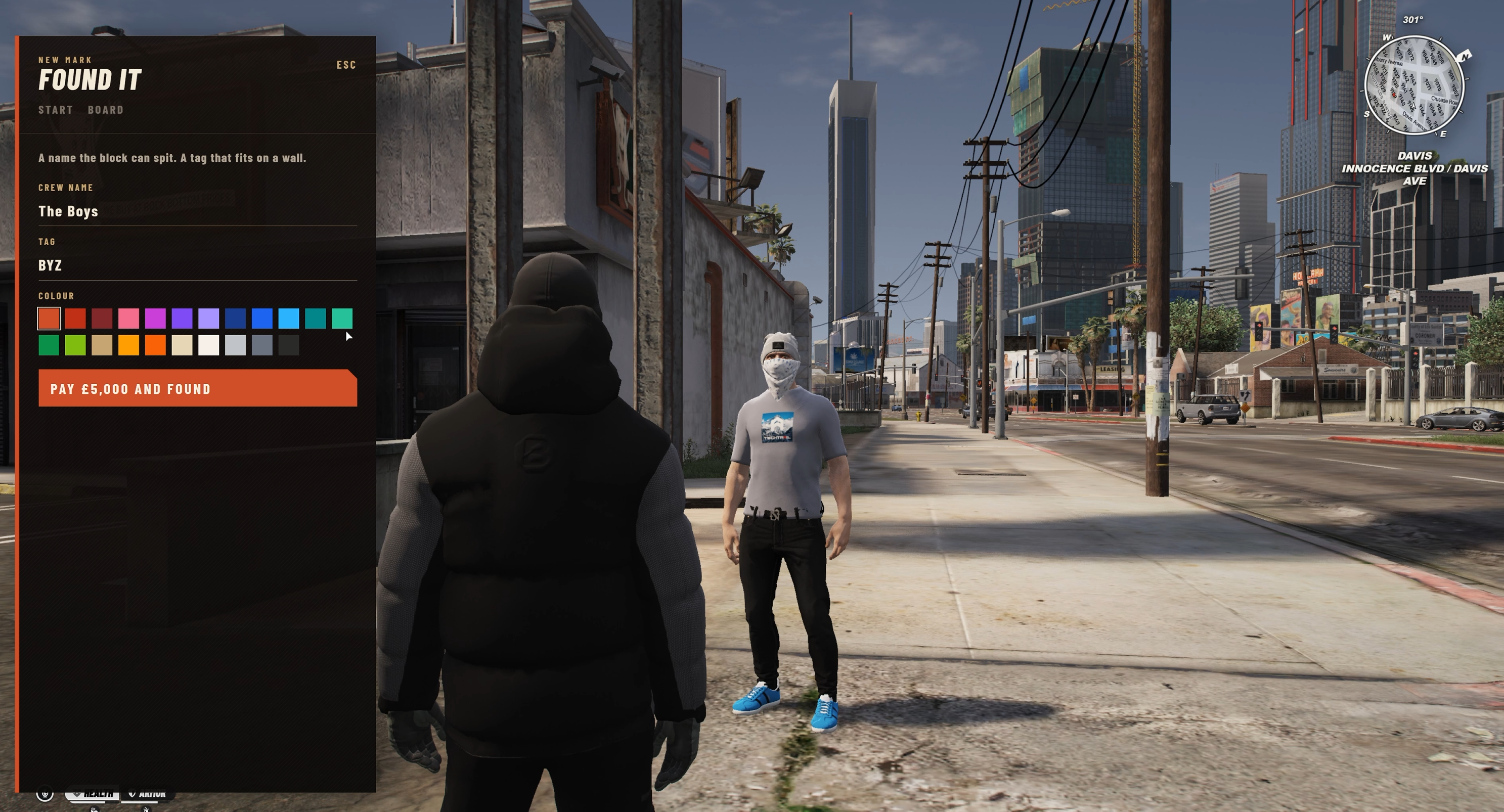
Gang bosses can promote and remove members, generate invitations and place shared storage in the game world. Lieutenants can help manage invitations, and members can access the stash at its configured location.
Requirements and framework support
oxmysqlis required for gangs, members, invitations and storage persistence.- The included framework bridge supports QB-compatible servers and ESX.
- Use
ox_inventoryfor the preferred storage integration orqb-inventory. ox_libis optional and may be used by your wider server stack.
Qbox is detected, but the included integration expects the QB-Core compatibility export. On a pure Qbox setup, enable that compatibility layer or adapt the open-source framework bridge.
Install the FiveM gang resource
- Stop your server and back up the database.
- Extract the package into the server resources directory.
- Keep the folder name as
thefivemshop-gangs. - Confirm the folder directly contains
fxmanifest.lua,config.luaand the client/server folders. - Add the start order below to
server.cfg. - Perform a full server restart, then use
/gangin game.
ox_inventory start order
ensure oxmysql
ensure qb-core
# or: ensure es_extended

ensure ox_inventory
ensure ox_lib
ensure thefivemshop-gangs
If you do not use ox_lib, remove that line. For qb-inventory, replace ensure ox_inventory with your qb-inventory resource name.
Create the gang database tables
On first start, the resource automatically creates these tables through oxmysql:
thefivemshop_gangsfor gang identity, colour, join code, points and storage position.thefivemshop_gang_membersfor players, ranks and membership.thefivemshop_gang_invitesfor active invitations.thefivemshop_gang_stashfor gang storage data.
If your database account cannot create tables, import the bundled sql/install.sql file manually, restart the resource and check the console for errors.
Commands and player controls
- /gang: opens the main gang menu.
- /gdisband TAG: admin command to disband the gang with that tag.
- E: opens gang storage while standing at its marker.
- Open gang menu key bind: players can assign their own key in FiveM Settings → Key Bindings.
Protect /gdisband with your framework's administrator permissions and test it on a temporary gang before using it on a live server.
Configure gangs, points and storage
The default configuration provides a useful starting point:
- Gang creation price: £5,000.
- Maximum members: 20 per gang.
- Rival kill reward: 25 leaderboard points.
- Kill award cooldown: 8 seconds.
- Invite distance: 12 game units.
- Gang storage: 40 slots with 120,000 weight.
Edit these values in the resource configuration before launch. Keep the kill cooldown enabled to reduce duplicate point awards.
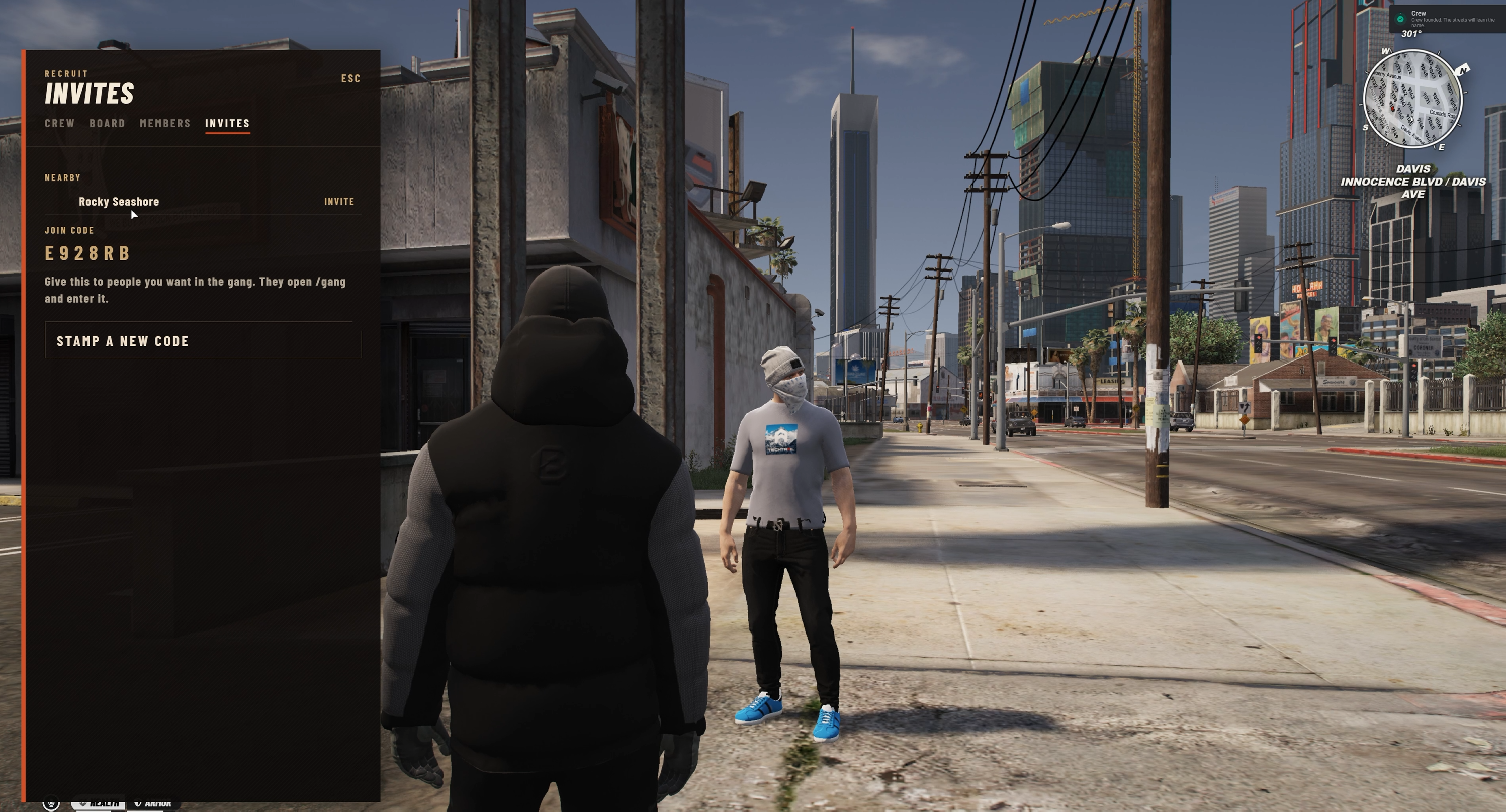
Set and move gang storage
- Create a gang and open
/gangas its boss. - Use the gang management option to set storage at the boss's current position.
- Walk to the marker and press E to test access.
- Move the storage from the gang menu whenever the gang changes location.
Storage access is tied to membership. Test access as a boss, lieutenant and standard member, then confirm a non-member cannot open it.
Launch and testing checklist
- Create one test gang with a custom name, tag and colour.
- Join from a second player using both the join code and nearby invitation.
- Promote and remove a test member.
- Kill a rival gang member and confirm the leaderboard adds 25 points only once during the cooldown.
- Deposit and withdraw an item from gang storage, then restart the server and verify persistence.
Troubleshooting
- /gang does nothing: confirm your framework started before the gang resource and inspect the console for bridge errors.
- Tables are missing: verify oxmysql and the connection string, then import
sql/install.sql. - Storage does not open: confirm the selected inventory is running and the configured gang location has been saved.
- Kills give no points: both players must belong to different gangs and the victim must be outside the anti-duplicate cooldown.
- Invites fail: move within the default 12-unit invite distance or use the generated join code.
Get the open-source gang script
Add custom gangs, ranks, rival kills, leaderboards and persistent storage to your server for $19.99.